25+ Essential Google Ads Formulas Every PPC Marketer Must Know
 PPC Marketing Editorial Team
October 27, 2026
14 min read
PPC Marketing Editorial Team
October 27, 2026
14 min read
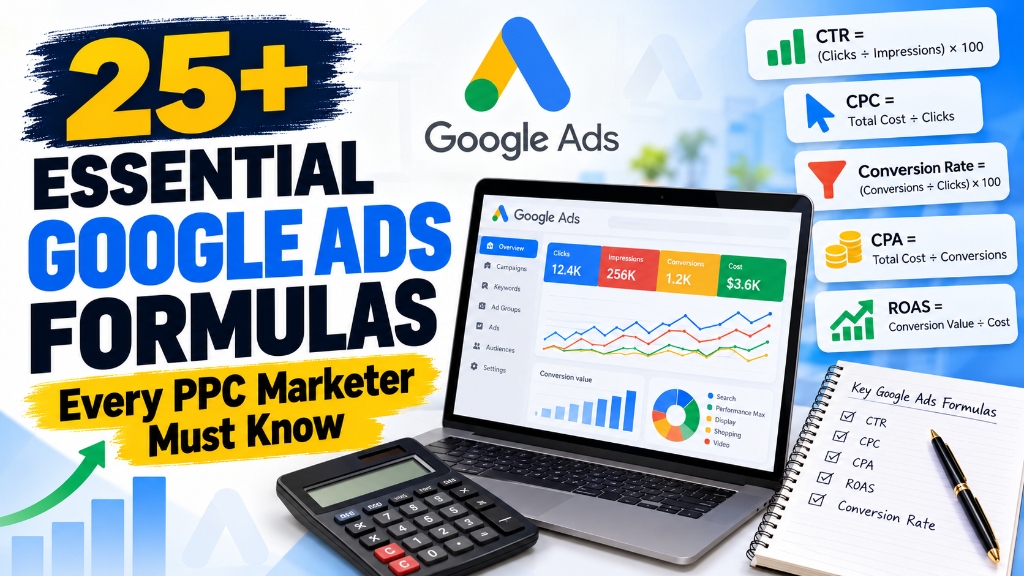
Running successful Google Ads campaigns requires more than selecting keywords, writing compelling ad copy, and setting a daily budget. To make profitable advertising decisions, marketers must understand the numbers behind campaign performance.
Whether you manage Search campaigns, Performance Max, Display ads, or eCommerce advertising through our Google Ads management services, knowing the right Google Ads formulas helps you identify wasted spend, measure campaign profitability, improve conversion rates, and allocate budgets more effectively.
For example, a campaign generating thousands of clicks may appear successful, but those clicks mean little if they fail to generate qualified leads or profitable sales. (We frequently see this issue when diagnosing accounts that suffer from PPC reports full of clicks but no customers). Similarly, a campaign with a high cost per click can still deliver excellent results when its conversion rate and customer value justify the expense.
In this comprehensive guide, we will cover more than 25 essential Google Ads formulas, explain step-by-step how to calculate them, and demonstrate how to use the results to make smarter PPC decisions.
Why Are Google Ads Formulas Important?
Google Ads generates a considerable amount of performance data, including impressions, clicks, conversions, advertising costs, conversion values, and impression share.
However, individual metrics do not always tell the complete story. Formulas help connect these metrics so you can understand the actual business performance of your campaigns.
Using Google Ads formulas can help you:
- Measure how effectively your ads attract clicks: Assess copy relevance and targeting alignment.
- Calculate the average cost of acquiring a customer or lead: Know exactly what each new business opportunity costs.
- Determine whether your advertising campaigns are profitable: Look beyond vanity revenue to protect your net contribution margins.
- Identify opportunities to improve landing pages and conversion rates: Pinpoint where friction causes visitors to bounce without converting.
- Compare campaign performance using consistent metrics: Benchmark different campaign types, ad groups, and channels objectively.
- Set realistic budgets and advertising targets: Prevent cash flow bottlenecks and underfunded campaigns.
- Make data-driven optimization decisions: Replace guesswork with clear mathematical insights.
Let's explore the most useful formulas every PPC marketer should know.
Click Through Rate (CTR) Formula
Click through rate measures the percentage of ad impressions that result in clicks.
CTR = (450 ÷ 10,000) × 100
CTR = 4.5%
This means 4.5% of the recorded impressions resulted in clicks.
Why it matters: CTR helps you evaluate how effectively your ad attracts attention from the audience seeing it. A low CTR may indicate that your ad copy, keywords, targeting, or offer needs improvement. However, a high CTR does not automatically mean a campaign is profitable. You must also assess conversion rate, cost per conversion, and business results.
Average Cost Per Click (CPC) Formula
Average cost per click tells you how much you pay, on average, for each click.
Average CPC = £300 ÷ 600
Average CPC = £0.50
You are paying an average of 50 pence per click.
Why it matters: This formula helps you understand how efficiently your budget is generating traffic. Compare CPC with conversion rate and customer value before deciding whether a campaign is too expensive. A low CPC is not always better if those clicks do not convert.
Cost Per Thousand Impressions (CPM) Formula
CPM measures the cost of receiving 1,000 ad impressions. It is particularly useful for campaigns focused on visibility and awareness.
CPM = (£120 ÷ 40,000) × 1,000
CPM = £3
Your campaign costs £3 for every 1,000 impressions.
Why it matters: CPM helps you compare the cost of advertising visibility across relevant campaigns or audiences. It should be evaluated alongside reach, engagement, and conversions, depending on your campaign objective.
Conversion Rate Formula
Conversion rate measures the percentage of eligible ad interactions that result in conversions. For a typical Search campaign, you can calculate it using clicks.
Conversion Rate = (32 ÷ 800) × 100
Conversion Rate = 4%
Four out of every 100 clicks resulted in a recorded conversion, on average.
Why it matters: Conversion rate helps you evaluate how effectively your website turns advertising traffic into leads, sales, bookings, or other valuable actions. If your campaign attracts clicks but produces few conversions, check for poor landing page user experience, search intent disconnects, slow loading speeds, form friction, or broken conversion tracking.
Note: Google Ads calculates its reported conversion rate using eligible interactions. Depending on the campaign type, these may include interactions other than clicks.
Cost Per Conversion (CPA) Formula
Cost per conversion shows the average advertising cost associated with each recorded conversion.
Cost Per Conversion = £500 ÷ 25
Cost Per Conversion = £20
Each recorded conversion costs £20 on average.
Why it matters: CPA helps you determine whether your campaign is meeting your acquisition cost targets. For lead generation, compare your cost per conversion with the value of a qualified lead. For eCommerce, compare it with the profit contribution from each order. Remember that advertising CPA does not necessarily include salaries, agency fees, sales expenses, or other business overheads.
Return on Ad Spend (ROAS) Formula
Return on ad spend measures the conversion value attributed to advertising relative to the advertising cost.
ROAS = £6,000 ÷ £1,200
ROAS = 5x, or 500%
For every £1 spent on advertising, the campaign generates £5 in attributed conversion value.
Why it matters: ROAS is an important metric for eCommerce businesses and other advertisers who assign monetary values to conversions. A high ROAS can indicate efficient revenue generation, but it does not automatically mean the business is profitable. Product costs, fulfilment, overheads, refunds, and other expenses must also be considered. For lead generation businesses, ROAS is only meaningful when conversion values reasonably reflect the actual or expected value of leads.
Return on Investment (ROI) Formula
ROI measures the return generated relative to the entire investment required.
If the total investment was £6,400:
ROI = (£1,600 ÷ £6,400) × 100
ROI = 25%
The business earns a 25% return on its total stated investment.
Why it matters: ROI evaluates profitability more broadly and accurately than ROAS. Make sure the calculation uses a clearly defined set of costs and does not double-count any expense.
Cost Per Lead (CPL) Formula
Cost per lead measures how much advertising spend is required to generate one lead enquiry.
CPL = £400 ÷ 20
CPL = £20
Each lead costs £20 on average.
Why it matters: CPL is particularly important for service businesses, recruitment companies, and travel agencies running PPC that generate enquiries rather than immediate online transactions. A low CPL is useful only when the leads are relevant and have a reasonable chance of becoming paying clients.
Customer Acquisition Cost (CAC) Formula
Customer acquisition cost measures the comprehensive cost of acquiring a single new customer.
CAC = £2,000 ÷ 40
CAC = £50
The business spends an average of £50 to acquire each new customer.
Why it matters: CAC provides a broader business perspective than advertising CPA. It can include ad spend, agency management fees, sales team salaries, and onboarding software. Always clearly define which expenses are included before comparing CAC across reporting quarters.
Average Order Value (AOV) Formula
Average order value shows how much customers spend per transaction, on average.
AOV = £10,000 ÷ 100
AOV = £100
Each order generates £100 in gross revenue on average.
Why it matters: Increasing your average order value directly improves campaign economics without requiring more traffic or higher bids. Explore product bundling, post-purchase cross-sells, tiered pricing, and free shipping thresholds to lift AOV.
Revenue Per Click Formula
Revenue per click estimates the average conversion value generated by each eligible ad click.
Revenue Per Click = £3,600 ÷ 900
Revenue Per Click = £4
Each click generates £4 in attributed conversion value on average.
Why it matters: Comparing revenue per click with average CPC helps you immediately assess top-line profitability relative to traffic costs. However, revenue per click exceeding CPC does not guarantee net profit because product and operating overheads must also be subtracted.
Value Per Conversion Formula
Value per conversion measures the average assigned conversion value of each recorded conversion action.
Value Per Conversion = £12,000 ÷ 60
Value Per Conversion = £200
Each conversion is worth £200 on average according to recorded values.
Why it matters: This metric is invaluable when assessing the quality of different campaigns, product lines, or customer segments. Its accuracy depends directly on whether your tracking tags pass realistic, dynamic values.
Profit Per Sale Formula
Profit per sale measures the actual contribution margin remaining from an order after deducting all variable costs and advertising expenses.
Profit Per Sale = £150 − £90 − £20
Profit Per Sale = £40
(This calculation excludes fixed enterprise overheads).
Why it matters: A campaign can report substantial revenue while silently losing money if product fulfilment and customer acquisition costs eat the entire margin.
Break Even ROAS Formula
Break even ROAS calculates the minimum return on ad spend required to cover advertising expenses and variable production costs.
Break Even ROAS = 1 ÷ 0.40
Break Even ROAS = 2.5x, or 250%
The campaign must generate at least £2.50 in revenue for every £1 spent on ads just to break even.
Why it matters: Break even ROAS prevents media buyers from picking arbitrary ROAS targets. If your agency sets a target ROAS of 200% when your break-even point is 250%, you will lose money on every recorded transaction.
Lead to Customer Conversion Rate Formula
Lead to customer conversion rate measures the percentage of raw marketing leads that convert into paying clients.
Lead to Customer Rate = (15 ÷ 100) × 100
Lead to Customer Rate = 15%
Why it matters: This metric bridges the gap between digital marketing metrics and real sales outcomes. Two campaigns generating 50 leads each can produce wildly different commercial outcomes if one converts at 20% and the other converts at 2%.
Cost Per Qualified Lead Formula
Cost per qualified lead evaluates advertising spend exclusively against leads that meet strict business qualification criteria.
Cost Per Qualified Lead = £600 ÷ 30
Cost Per Qualified Lead = £20
Why it matters: An inexpensive cost per lead is a vanity trap if enquiries are spam, out of territory, or have insufficient budget. Measuring cost per qualified lead prevents false optimism in lead generation.
Qualified Lead Rate Formula
Qualified lead rate indicates the percentage of total marketing inquiries that fulfill your qualification requirements.
Qualified Lead Rate = (32 ÷ 80) × 100
Qualified Lead Rate = 40%
Why it matters: A declining qualification rate points to broad match search queries triggering irrelevant terms, misleading ad creative, or an ambiguous landing page offer.
Cost Per New Customer Formula
This formula estimates direct advertising spend required to acquire a new paying client.
Cost Per New Customer = £900 ÷ 18
Cost Per New Customer = £50
Why it matters: Isolating ad-driven acquisition cost lets you see whether paid advertising is profitable independently of organic word-of-mouth or repeat buyers.
Monthly Budget From Average Daily Budget Formula
Google Ads calculates monthly charging limits by multiplying your average daily budget by 30.4 (the average number of days in a month).
Monthly Spending Limit = £20 × 30.4
Monthly Spending Limit = £608
Why it matters: While Google may spend up to 2x your daily budget on high-traffic days, you will never be billed more than 30.4 times your daily budget over a full month. Check the official Google Ads budget guidance for complete spending rules.
Daily Budget From Monthly Budget Formula
When working with client-capped monthly budgets, use this formula to establish the correct daily pacing budget in Google Ads.
Average Daily Budget = £1,520 ÷ 30.4
Average Daily Budget = £50
Why it matters: Dividing by 30 (or 31) leads to under-spending or over-spending across full fiscal quarters. Using 30.4 keeps client billing predictable and accurate.
Average Cost Per Qualified Customer Formula
Measures advertising cost relative to deals closed specifically from verified qualified leads.
Cost Per Qualified Customer = £1,000 ÷ 10
Cost Per Customer = £100
Why it matters: Illuminates the full funnel journey from initial impression to closed commercial revenue, highlighting whether down-funnel sales enablement needs improvement.
Conversion Value Per Cost Formula
The standard reporting column used inside the Google Ads platform to track gross return on ad spend.
Conversion Value Per Cost = £7,500 ÷ £1,500
Conversion Value Per Cost = 5.0 (500%)
Why it matters: This is the native calculation Google Ads uses for Target ROAS bidding strategies. Learn more in Google's official conversion tracking guidance.
Impression to Click Efficiency Formula
The inverse CTR calculation estimating the volume of impressions required to earn a single click.
Estimated Impressions Per Click = 1 ÷ 0.05
Impressions Per Click = 20
At a consistent 5% CTR, the ad generates one click for every 20 impressions displayed.
Why it matters: Highly useful for forecasting campaign scale, inventory capacity, and audience saturation before launching new campaigns.
Required Conversions to Reach a Target CPA Formula
Calculates the number of conversions your account must record to hit a predefined target acquisition cost.
Required Conversions = £1,000 ÷ £25
Required Conversions = 40
You must secure 40 conversions from that £1,000 budget to hit the target.
Why it matters: Clarifies feasibility. If your average conversion rate requires 2,000 clicks to achieve 40 conversions, but your budget only buys 1,000 clicks, your CPA goal is mathematically unachievable without improving conversion rate or lowering CPC.
Quick Reference: Essential Google Ads Formulas Cheat Sheet
Bookmark this table for fast reference during campaign builds, client reporting meetings, and budget forecasting:
| Metric | Standard Formula |
|---|---|
| Click Through Rate (CTR) | (Clicks ÷ Impressions) × 100 |
| Average Cost Per Click (CPC) | Advertising Cost ÷ Clicks |
| Cost Per Thousand Impressions (CPM) | (Advertising Cost ÷ Impressions) × 1,000 |
| Conversion Rate | (Conversions ÷ Eligible Interactions) × 100 |
| Cost Per Conversion (CPA) | Advertising Cost ÷ Conversions |
| Return on Ad Spend (ROAS) | Total Conversion Value ÷ Advertising Cost |
| Return on Investment (ROI) | (Net Profit ÷ Total Investment) × 100 |
| Cost Per Lead (CPL) | Advertising Cost ÷ Leads Generated |
| Customer Acquisition Cost (CAC) | Sales & Marketing Costs ÷ New Customers |
| Average Order Value (AOV) | Total Revenue ÷ Orders |
| Revenue Per Click | Conversion Value ÷ Clicks |
| Value Per Conversion | Conversion Value ÷ Conversions |
| Search Impression Share | (Impressions ÷ Eligible Impressions) × 100 |
| Lead to Customer Rate | (New Customers ÷ Leads) × 100 |
| Qualified Lead Rate | (Qualified Leads ÷ Total Leads) × 100 |
| Monthly Spending Limit | Average Daily Budget × 30.4 |
| Average Daily Budget | Monthly Budget ÷ 30.4 |
| Break Even ROAS | 1 ÷ Contribution Margin Ratio |
| Required Conversions | Advertising Spend ÷ Target CPA |
Practical Example: Analysing a Real-World Google Ads Campaign
Let's apply these formulas to an active Search campaign for an online business to see how they interact.
Suppose an eCommerce brand generates the following 30-day performance data:
| Campaign Metric | Observed Result |
|---|---|
| Impressions | 50,000 |
| Clicks | 1,500 |
| Advertising Cost | £600 |
| Conversions | 45 |
| Conversion Value | £4,500 |
Using our formulas, we can compute the key performance metrics:
- CTR: (1,500 ÷ 50,000) × 100 = 3.0%
- Average CPC: £600 ÷ 1,500 = £0.40
- Conversion Rate: (45 ÷ 1,500) × 100 = 3.0%
- Cost Per Conversion (CPA): £600 ÷ 45 = £13.33
- ROAS: £4,500 ÷ £600 = 7.5x, or 750%
- Average Order Value (Value Per Conversion): £4,500 ÷ 45 = £100.00
- Revenue Per Click: £4,500 ÷ 1,500 = £3.00
This distinction is critical: CPC measures the cost of acquiring traffic, while ROAS compares attributed gross value to media spend. At a 7.5x ROAS and a £13.33 CPA, the campaign looks stellar on paper. However, final business decisions must factor in inventory margins, return rates, shipping costs, and customer retention.
6 Common Mistakes When Using Google Ads Formulas
Even experienced PPC managers make costly miscalculations when analyzing raw metrics without proper context:
1. Confusing ROAS With Net Profit
A campaign delivering £5 in revenue for every £1 spent on ads has a 500% ROAS, but that does not mean the business made £4 in profit. Cost of goods sold (COGS), payment processing fees, and delivery overheads must be subtracted first.
2. Chasing Low CPC at the Expense of Intent
Inexpensive clicks are often useless clicks. Cheap traffic with zero commercial intent will drain your daily budget. Always evaluate CPC alongside conversion rate and customer lifetime value.
3. Ignoring Conversion Tracking Accuracy
Duplicate tags, misfiring firing triggers, unverified thank-you pages, and missing transaction values corrupt every single formula you calculate. Validate tags with Google Tag Manager and ensure server-side tracking is implemented where appropriate.
4. Comparing Campaigns With Divergent Objectives
An awareness YouTube campaign or top-of-funnel Display campaign should never be judged using direct-response Search CPA targets. Match the metric to the funnel stage.
5. Treating Every Lead as a Paying Customer
A contact form submission is not money in the bank. Always measure down-funnel qualified lead rates and close rates to evaluate campaign ROI honestly.
6. Overlooking Attribution Windows and Model Shifts
Google Ads data-driven attribution distributes fractional credits across touchpoints. Comparing short 7-day click windows against 30-day or 90-day purchase cycles can distort your perceived acquisition costs.
How PPC Marketers Can Use These Formulas to Improve Campaign Performance
Knowing formulas is only the beginning. Real competitive advantage comes from applying them systematically to weekly optimization sprints:
- Audit Top-of-Funnel Appeal (CTR): Begin by assessing CTR to see whether your ads resonate with searchers. If CTR is low, test new headlines, refine negative keyword lists, and verify keyword search intent.
- Evaluate Traffic Cost & Engagement (CPC & Conversion Rate): Compare your average CPC against conversion rates. If conversion rate is weak despite strong CTR, optimize landing page speed, simplify inquiry forms, and eliminate friction.
- Control Unit Economics (CPA & ROAS): Compare your CPA and ROAS against your pre-calculated break-even thresholds. Shift budget toward ad groups and products that exceed your target margins.
- Audit Lead Integrity (Qualified Lead Rate): For B2B and lead gen accounts, monitor the percentage of leads that sales teams accept. Discard low-intent keywords that generate spam inquiries.
- Capture Untapped Scale (Impression Share): Once unit economics are profitable, examine Search Impression Share. If you lose share to budget, scale ad spend; if lost to rank, improve Quality Score and ad copy relevance.
The goal of PPC is never to maximize every individual metric. It is to balance these mathematical relationships to maximize sustainable, scalable profit.
Final Thoughts
Google Ads formulas provide an objective framework for diagnosing campaign health, controlling media spend, and scaling business revenue. From CTR and CPC to break-even ROAS and customer acquisition cost, every calculation provides actionable clarity.
However, formulas alone cannot fix a broken value proposition, a convoluted landing page, or poor conversion tracking. Sustainable growth requires combining accurate mathematical analysis with strategic campaign architecture and relentless testing.
At PPCMarketing.com.pk, we believe every advertising dollar should be accountable to real business profit. Whether you need expert Google Ads campaign management or localized paid search strategy across Islamabad, Lahore, and Karachi, our team is here to help.
Explore our performance marketing services at PPC Marketing or contact our PPC specialists for a comprehensive account audit.
Ready to Turn Your PPC Data Into Scalable Profit?
Stop guessing your numbers. Let our team audit your Google Ads account, eliminate wasted spend, and implement a data-driven bidding strategy.
Frequently Asked Questions
What is the most important formula in Google Ads?
There is no single formula that is most important for every campaign. CPA is especially useful for lead generation, ROAS is crucial for eCommerce campaigns tracking monetary values, and conversion rate helps measure how efficiently landing pages turn ad clicks into customers.
How do you calculate ROAS in Google Ads?
Divide total conversion value attributed to Google Ads by advertising spend. For example, £5,000 in conversion value from £1,000 in spend produces a 5x ROAS (or 500%).
What is a good CPA in Google Ads?
A good CPA depends entirely on your industry, profit margins, customer lifetime value, and close rates. Calculate what your business can afford to pay for a customer or qualified lead before setting target CPAs in Google Ads.
What is the difference between CPA and CAC?
CPA measures advertising spend per recorded conversion inside Google Ads. CAC (Customer Acquisition Cost) measures total sales and marketing expenses—including agency fees, sales commissions, and software—divided by total new paying customers.
What is the formula for Google Ads conversion rate?
For Search campaigns, divide total conversions by clicks and multiply by 100. Google Ads reporting uses eligible interactions, which can include engagements or views depending on campaign type.
How do I calculate the monthly budget for Google Ads?
Multiply your average daily budget by 30.4 to calculate your maximum monthly spending limit. Conversely, divide a client's monthly budget by 30.4 to set the appropriate average daily budget.
Can Google Ads formulas help improve campaign performance?
Yes. Formulas reveal inefficiencies, highlight profitable search segments, assist in realistic budget planning, and ensure you feed accurate data into Google's Smart Bidding models.